CPL · Coal Production Hourly Logsheet
Run the pit on this hour’s numbers, not yesterday’s.
CPL replaces the paper logsheet and the spreadsheet behind it. Clerks tap each load in the pit, signal or none. Supervisors and managers see BCM against plan, what is standing, and what is still owed, while there is still shift left to fix it.
- Download for Windows
- macOSSoon
- AndroidSoon
- iPhone and iPadSoon
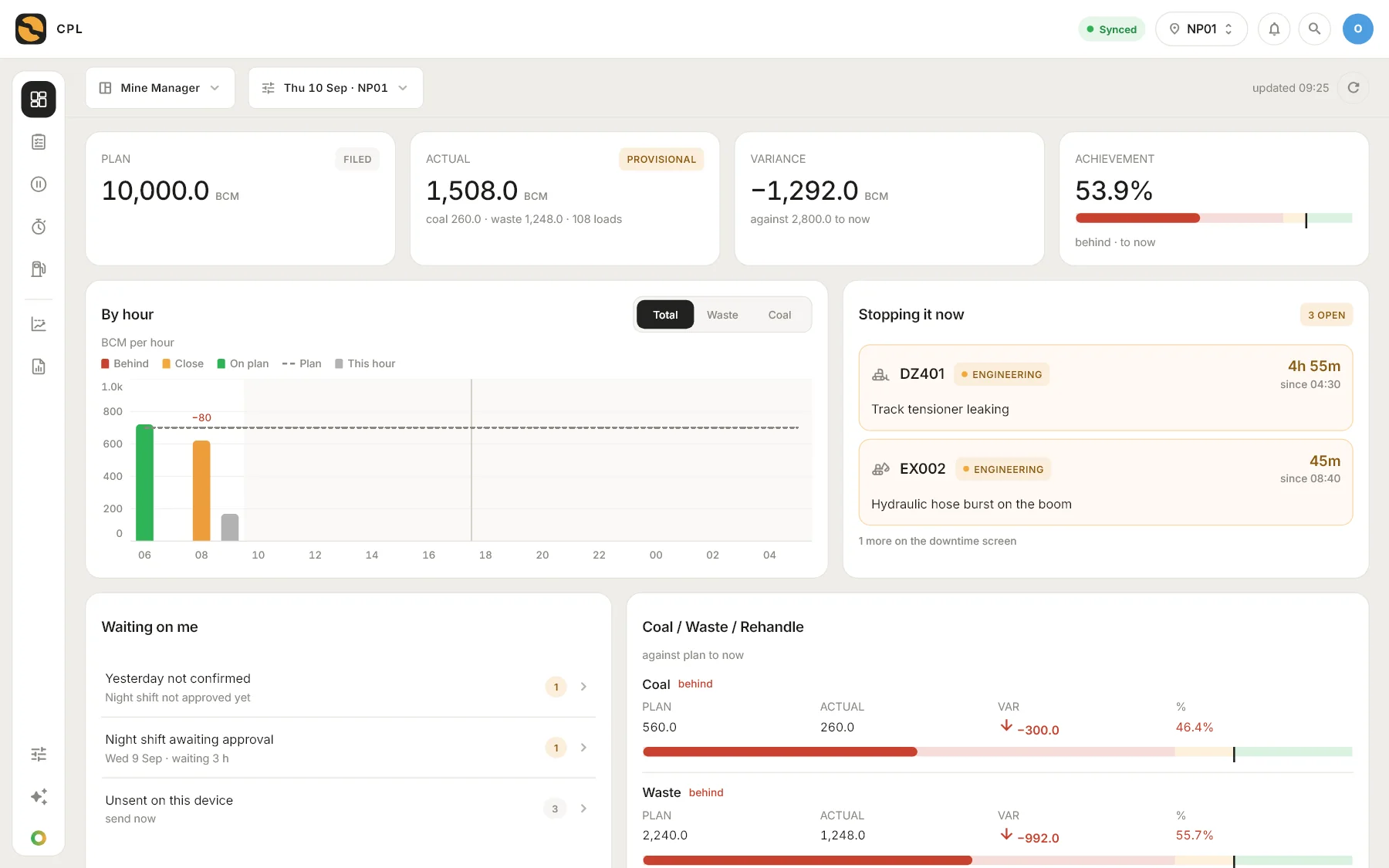
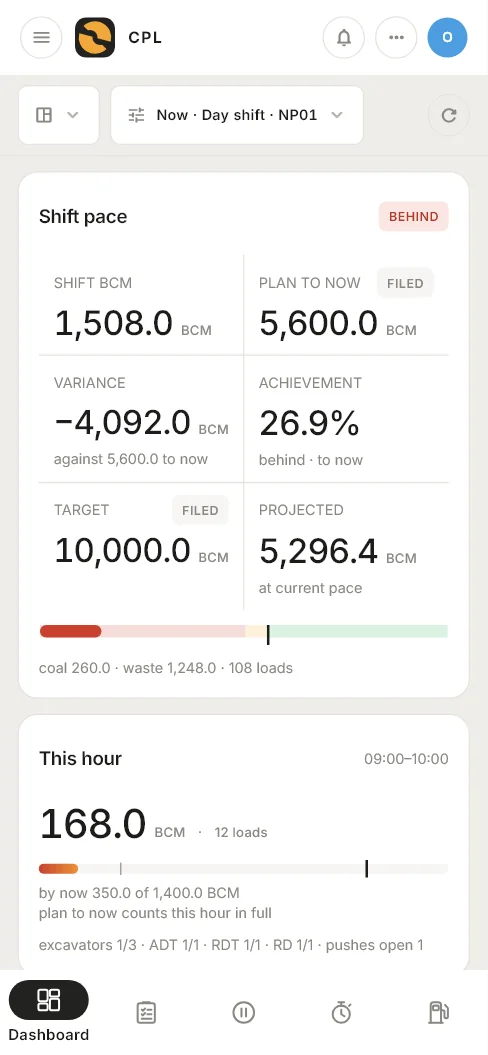
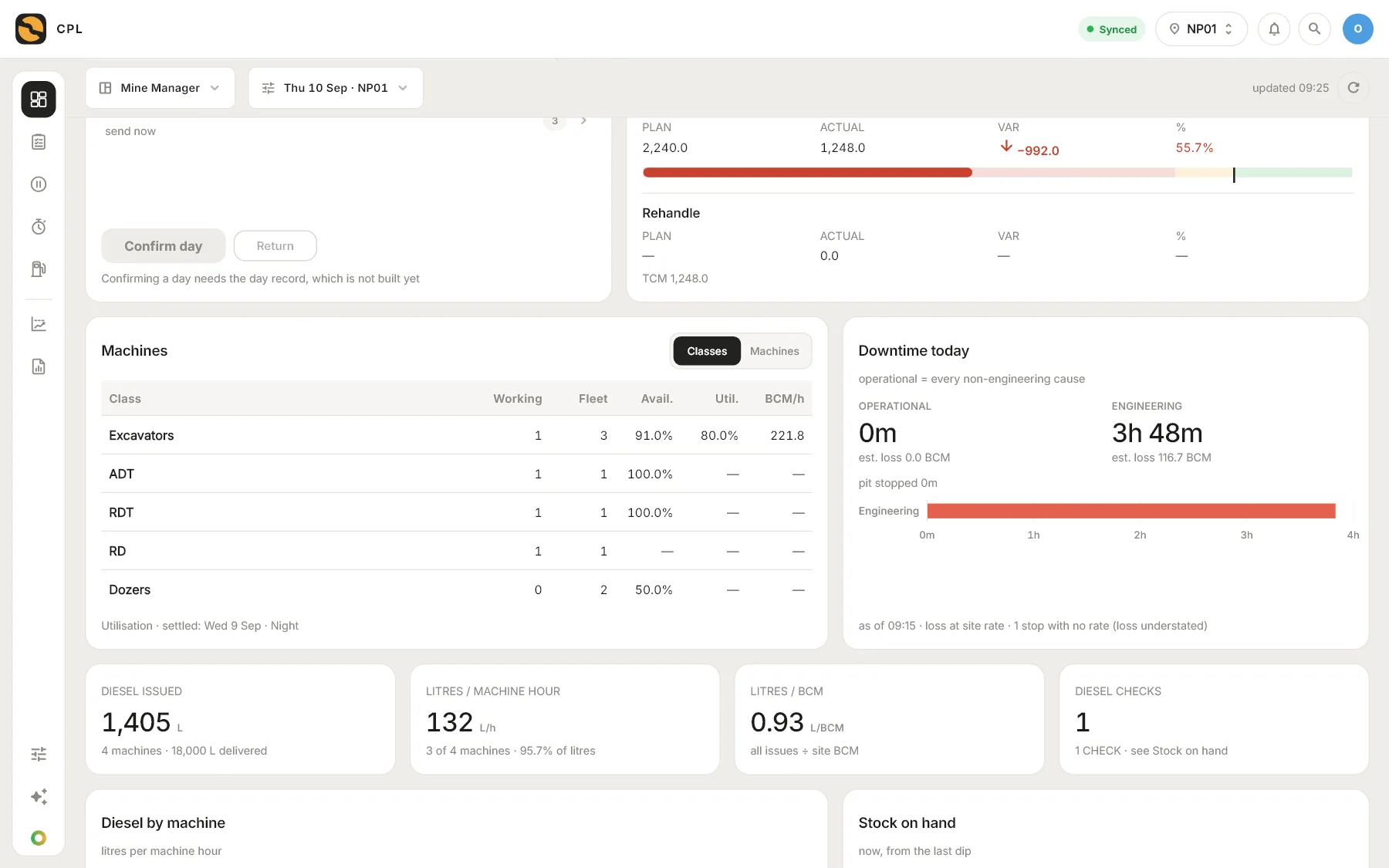
Screens from CPL, on a sample shift.
- Every hourcaptured as it happens, not typed up after the shift
- No signalneeded in the pit: it works offline and syncs when it can
- One set of figuresfrom the clerk’s tap to the manager’s dashboard
The problem
By the time paper reaches the office, the shift is over.
- 06:00 to 18:00Loads are tallied on paper in the cab and at the face.
- After the shiftThe sheets are collected and typed into a spreadsheet.
- Next morningThe office reads what the pit did yesterday.
A machine that stood for three hours is a line in tomorrow’s report. With CPL it is on a screen while it is still standing.
For the manager
See the shift while you can still change it.
- Plan, actual, variance and achievement for the day, by the hour
- Coal, waste and rehandle, each against its own plan
- What is stopping production right now, and for how long
- What is waiting on you: a day to confirm, a shift to approve
For the clerk
One tap a load. Where the work is.
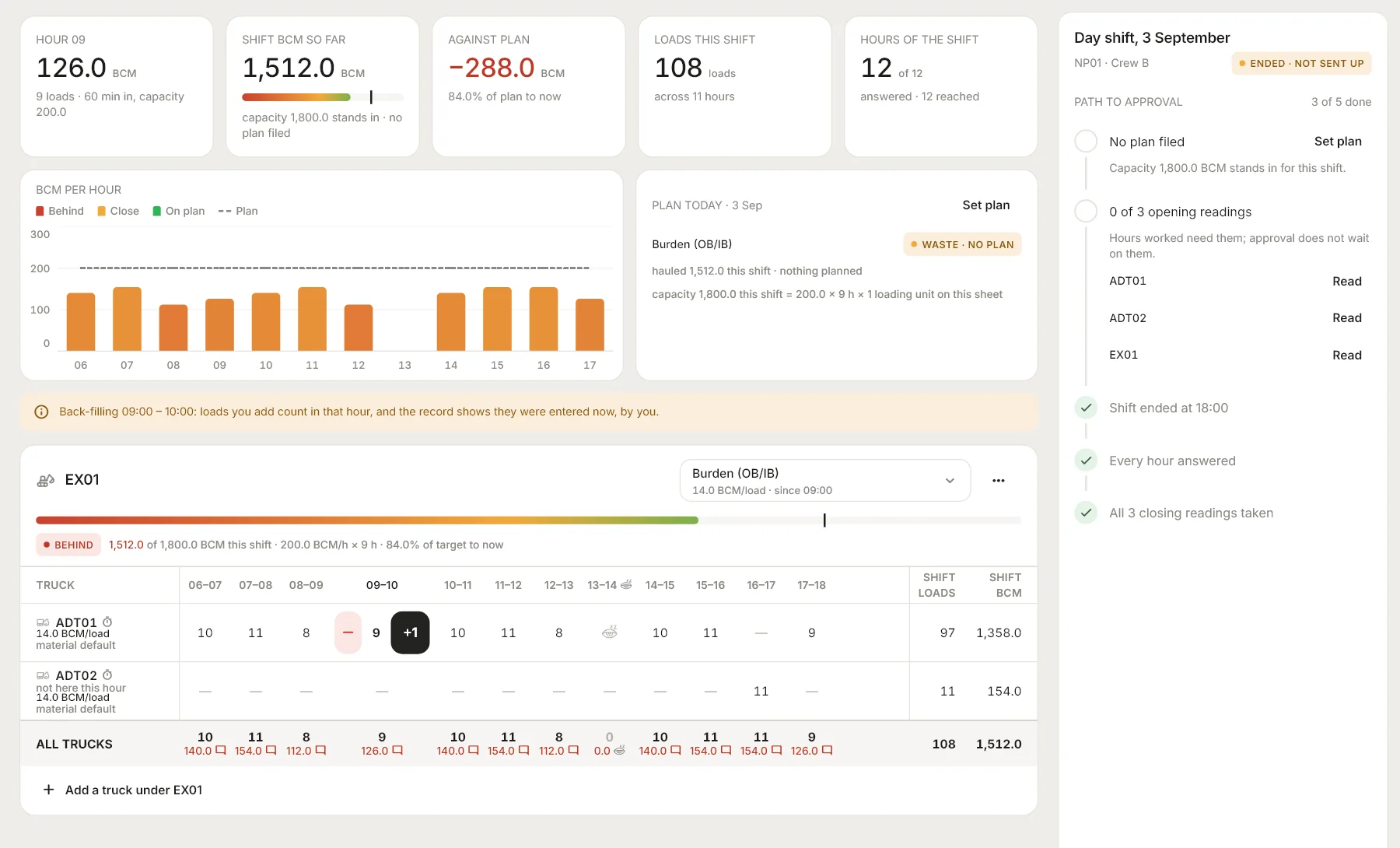
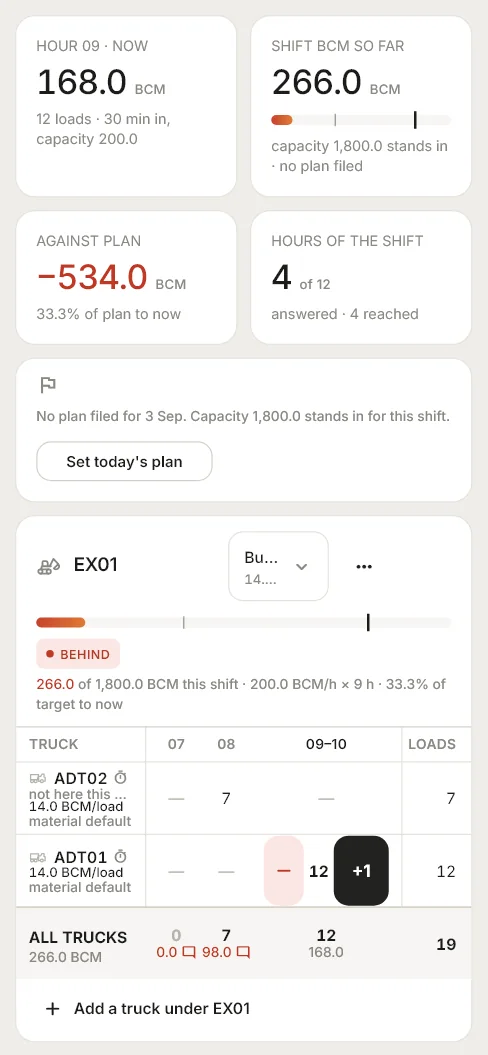
- Loads per truck, per hour, against each loading unit and material
- BCM worked out from the site’s own factors, not by hand
- The shift’s target is the site’s rate × hours × loading units
- No signal, no problem: it is saved on the phone and sent later
For engineering
Machines, downtime and diesel on the same page as production.
- Availability and utilisation by machine class, from real hour meters
- Every stop with its cause, its duration and the BCM it cost
- Diesel issued, litres per machine hour and litres per BCM
- Closing readings taken at hand-over, so nothing is guessed later
And the rest
Built for a mine, not adapted to one.
Offline first
Every capture is saved on the device before it is sent. A dead zone delays the sync, never the work.
A board for every seat
Tally clerk, shift supervisor, mine manager and the executives above them each open on what they answer for.
Roles and an audit trail
People see their own sites and do what their role allows. Every figure keeps who entered it and who changed it.
Reports that are already written
The shift report exports to PDF, Word and an image; the hourly report is formatted to paste into WhatsApp.
The month, not just the shift
Plan the month by material, then follow it day by day on the tracker against what the pit actually moved.
Day and night
Light and dark themes, and one layout that reflows from a control-room monitor to a phone in a cab.
A shift with CPL
From 06:00 to 06:00, hour by hour.
06:00 to 06:00Day until 18:00, night after
- 1
The shift is already there
Day runs 06:00 to 18:00 and Night 18:00 to 06:00. Nobody opens a shift: CPL works it out from the clock and the site.
- 2
Each hour is captured as it happens
One tap a load, against the truck and its loading unit. An hour with nothing in it reads 0 by itself.
- 3
The machines are closed at hand-over
Closing hour meters are read while the dials still show the shift’s figures, so the next shift starts from a true opening.
- 4
The shift is sent up and approved
The clerk sends it, a supervisor approves it, and the figures are locked with their history.
- 5
The office already has it
The shift report, daily tracker and dashboards followed the pit all day. There is nothing left to type.
Get the app
Tomorrow’s 06:00 shift could be the first one you watch live.
Windows, macOS, Android and iOS, with more to follow. The same sheet at every size.
- Download for Windows
- macOSSoon
- AndroidSoon
- iPhone and iPadSoon
New to CPL?
Five short steps about your sites, shifts and fleet, and we set CPL up with you.
Get startedAlready invited?
Install it and sign in with the email your administrator invited. There is no sign-up in the app.
Questions first? Read the questions and answers. No advertising and no tracking: CPL does not read your location, contacts or photos. The rest is in the Privacy Policy and the Terms of Service.